Wave Wall Maker: three ways to put a wave on the wall.
Wave Wall Maker turns a handful of sliders into a parametric wave panel - a carved relief, a laser slat wall or a wavy shelf - and exports CNC-ready STL or kerf-compensated SVG and DXF cut sheets. Coming soon to Maker Tools.
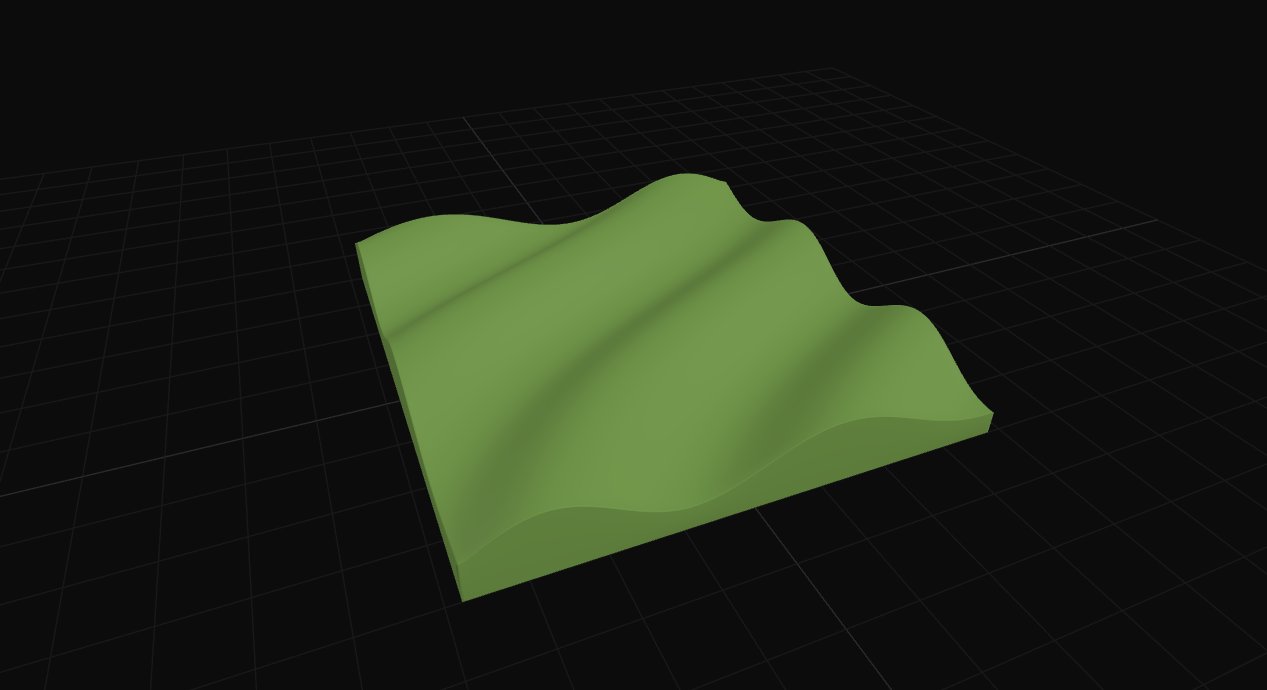
Wave Wall Maker turns a handful of sliders into a parametric wave panel, then hands you the file for whichever machine is switched on: a laser or a CNC router. One wave field, three completely different constructions. It's the next of our free Maker Tools, currently in final testing and coming soon.
The same wave, built three different ways
Most wave-wall generators give you one output and one material. This one starts from a shared height field, generated live from six wave equations or a photo run through an on-device depth model, and then lets you decide how that field becomes a physical object. A solid carved relief. Fins for a laser. Or a shelf you can put things on. Which mode you reach for depends on what's switched on in your workshop, and what the wall is actually for.
Solid - the continuous relief

A single continuous surface exported as one watertight STL, ready to route or mill as a 3D relief. Oversize a panel past your machine bed and Wave Wall Maker splits it into bed-sized tiles automatically, so a 600mm feature wall still comes off a smaller machine - just in more passes.
Good for: feature walls cut in sections and joined, acoustic diffuser panels, lit backdrops where the relief catches a raking light, and any photo you want translated straight into a wall - drop one in and the built-in depth model does the relief for you.
Slatted - fins on a comb

The wave field is sliced into individual fins, each one tenoned into a back panel or comb rail - here a 650mm drape wave across 69 of them. Clip the whole assembly to a silhouette instead - heart, star, arch, hexagon, an organic blob traced from your own outline - and only the fins inside that shape survive. Either way what's left is a laser-cut kit: every fin numbered, nested, and ready to slot home.
Good for: laser-cut slat-wall art, acoustic slat panels for a studio or listening room, silhouette wall pieces for a shop front, and room dividers where you want light to pass between the fins rather than through a solid sheet.
Shelf - a surface you can put things on

Instead of a flat relief, the ribs loft an undulating shelf you can actually stand a mug or a plant pot on - here an 890mm run across 60 ribs. Place each wave crest by hand - position, height, width, how sharply it falls into the belly behind it - and the rail underneath it can be dragged into its own curve, point by point, straight or curved segment by segment.
Good for: display shelving with a real, sittable surface rather than a flat ledge, retail and gallery fixtures that need to follow a curved wall, and one-off shelves built around wherever the crest needs to land - under a window, around a light switch, whatever the room actually asks for.
Six ways to generate the wave itself
Every mode above draws from the same height field. How that field is generated is its own decision - six wave equations plus a photo-to-depth option, each with a distinct character.
Waves (linear)

Straight parallel crests at a set frequency and angle - the plain, regular option.
Drape / flow

Warped, fabric-like folds rather than straight lines - reads like cloth hung over a frame.
Interference / moiré

Two wave fields crossed and woven together, with a slider for how tightly they interlock.
Radial ripple

Rings expanding from a centre point, with an optional swirl to twist them off-axis.
Attractors

Two to nine user-placed points, each pulling the surface toward it like a small gravity well.
Topographic terraces

Contour-banded like a map, blended smooth or left stepped.
Slat walls grew up. This is what comes after straight lines
Acoustic slat panelling has been one of the UK's fastest-growing interior looks for the last couple of years: warm timber, tidy rhythm, better acoustics. But those panels are all straight, parallel lines. The next step is already visible at the architectural end of the market, where studios like Mario Romano's M|R Walls CNC-carve full wave walls from Corian for houses and hotel lobbies. That work is stunning, bespoke, and priced like it.
Between the flat-pack slat kit and the commissioned wave wall, the options for a workshop have been thin.
Marketplace DXF files
Etsy is full of parametric wave wall CNC files sold as fixed digital downloads. You get one design at one size in one material thickness - want the wave shifted 100mm to the left, or your kerf compensated, and you're messaging the seller.
Pro parametric software
Rhino and Grasshopper can build all of this and more - it's what the famous work is designed in. It's also a genuine learning curve of node graphs and data trees, which is a lot to take on for one feature wall.
AI relief services
A newer crop of tools like SculptOK and Vectric's EasyCreate turn a photo into a carvable relief with AI. Most are upload-and-pay web services, and relief is all they do - no slats, no construction, no cut sheets.
Wave Wall Maker
Live parametric control in the browser with no software to learn, the same AI photo-to-relief trick running on your own machine, and fabrication-ready STL, SVG and DXF out the other end - as a relief, a slat wall, or a shelf. The design freedom of the parametric tools, the convenience of a download, and none of the wait for a seller to resize a file.
AI depth maps, without uploading your photo anywhere
The trick behind every photo-to-relief tool is a depth map: a greyscale image where bright means close and dark means far, which a CNC can carve as height. Until recently that meant an hour of hand-painting in Photoshop; now a depth-estimation model does it in seconds, and it's the engine behind the current wave of AI carving tools.
Wave Wall Maker runs a small depth-estimation model directly in your browser. The photo never leaves your machine - no upload, no account, no credits - and because the depth map lands in the same height field as the wave patterns, you can blend the two. A portrait at 70% with a drape wave underneath it behaves like one surface, not a sticker on a background. There's a brightness mode too, which suits logos and line art better than photographic depth.
From blank panel to cut sheet
1. Pick your output mode
Solid, Slatted, or Shelf, in the panel at the top left. This is really a question about which machine the file is for: Solid is a carved 3D relief for a CNC router, while Slatted and Shelf are flat pieces cut on a laser or CNC.
2. Choose a wave pattern, or drop in a photo
Dial in frequency, amplitude, angle and the pattern-specific sliders until the preview looks right. Prefer to start from an image instead? Drop a photo on the panel and the built-in depth model estimates a relief from it directly in the browser - a background floor slider stops the surroundings behind your subject ballooning into a flat plinth.
3. Clip it to a silhouette, if you want one
Leave it as a rectangle, or pick a shape - heart, circle, star, arch, hexagon, diamond, pebble, organic blob - and only the geometry inside that outline is kept.
4. Set your dimensions
Width, height, relief depth and resolution. The stat row below the preview updates live - fin count, rib count, total pieces - so you know what you're committing to before you export anything.
5. Shape the rail, if your mode has one
Slatted and Shelf both carry a comb rail underneath them. Drag its control points on the grid to bend it, snap to grid for clean numbers, and toggle any segment between straight and curved independently of the rest.
6. Export and cut
STL for the CNC, with automatic tiling if the panel is bigger than your machine bed. SVG or DXF for the laser, kerf-compensated to a value you set yourself, nested onto sheets, with alignment holes and every piece numbered.
Common questions
What is a parametric wave wall?
A wall panel whose 3D wave geometry is generated from adjustable rules - frequency, amplitude, angle, flow - rather than drawn by hand. Move a slider and the whole panel regenerates, along with the cut files needed to build it.
What file formats does Wave Wall Maker export?
STL for CNC relief carving, and SVG or DXF cut sheets for laser or CNC flat cutting. Cut sheets are kerf-compensated - the kerf value is yours to edit, so joints match your machine and material - nested onto sheets, and every piece is numbered with alignment marks.
Can I turn a photo into a wall relief?
Yes. Drop a photo onto the panel and an on-device AI model estimates its depth, which becomes carvable height. You can blend the photo with any wave pattern, scale and crop it without distortion, and flatten the background so only the subject carries the depth. Nothing is uploaded.
What materials does it suit?
Plywood, MDF and hardwood are the natural fits for the slat and shelf modes - material thickness and kerf are both parameters, so the joints come out snug for your actual stock. The solid relief suits anything you can route.
How big can a panel be?
As big as the wall. Panels larger than your machine bed tile automatically into bed-sized sections, and slat cut sheets nest across as many sheets as the job needs.
Do I need to know parametric design software?
No. Everything Grasshopper-style tools do with node graphs here happens with sliders and a live 3D preview, in the browser, with nothing to install.
What it means for you
Wave Wall Maker isn't trying to pick a lane between routing and laser cutting - it assumes you might have more than one machine switched on in the same workshop, and that a client wall might need whichever one is faster or cheaper that week. Everything runs client-side: the wave maths, the silhouette clipping, the AI depth estimate, the tiling, the cut-sheet nesting. Nothing leaves the browser until you hit export.
The tool is in final testing and lands in Maker Tools soon. Every slider in this piece is real - it just isn't public yet.
Sources
Making something of your own?
Tell us the brief →